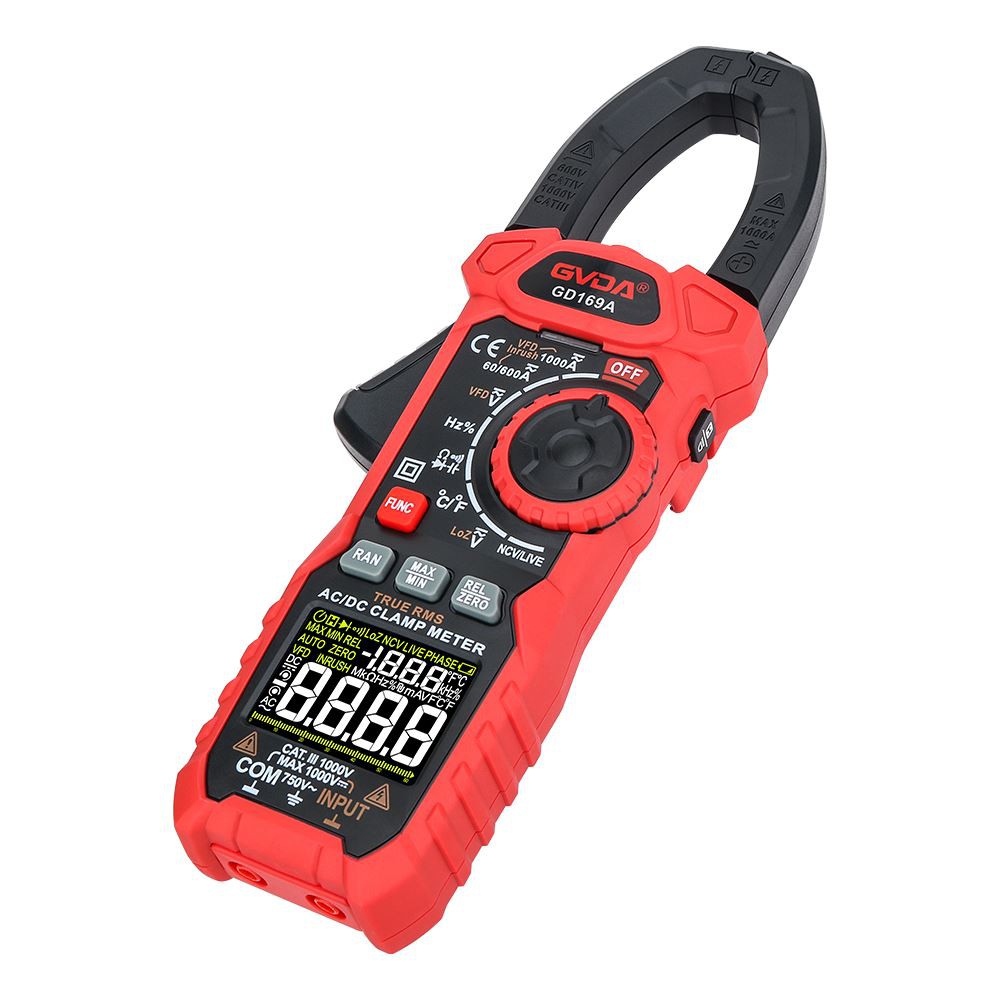
GVDA GD169A Digital Clamp Meter AC/DC True-RMS Multimeter Anto-Ranging Tester Current Clamp Digital Ammeter Clamp Meter
AC/DC current measurement of New arrive GVDA GD169A Anto-Ranging Digital Ammeter Clamp Meter
1) Turn the knob to  ,and select proper range(60/600A or 1000A), Press FUNC key until the "
 "/ "
"/ "  " character is displayed
2) When measuring DC current and the display screen shows that it is not ZERO, first press the  key to clear it. The display screen shows the character "Zero"
3) Then press the trigger to open the clamp, clamp the conductor to be tested, and then slowly release the trigger until the clamp are completely closed, and determine whether the conductor to be tested is clamped in the center of the pliers, if the conductor is not in the center of the pliers, additional errors will occur.
4) Read the measurement results on the display
WARNING
l Before use, use the meter to test the known voltage or current, and confirm that the meter is in good condition
l Pay special attention to safety when measuring high voltage to avoid electric shock or personal injury
l Please do not use VFD function to verify the presence of dangerous voltage or current, which may exceed the indicated value to avoid electric shock or personal injury.
Note
l Please place the measured conductor in the center of the clamp head, otherwise additional error will occur