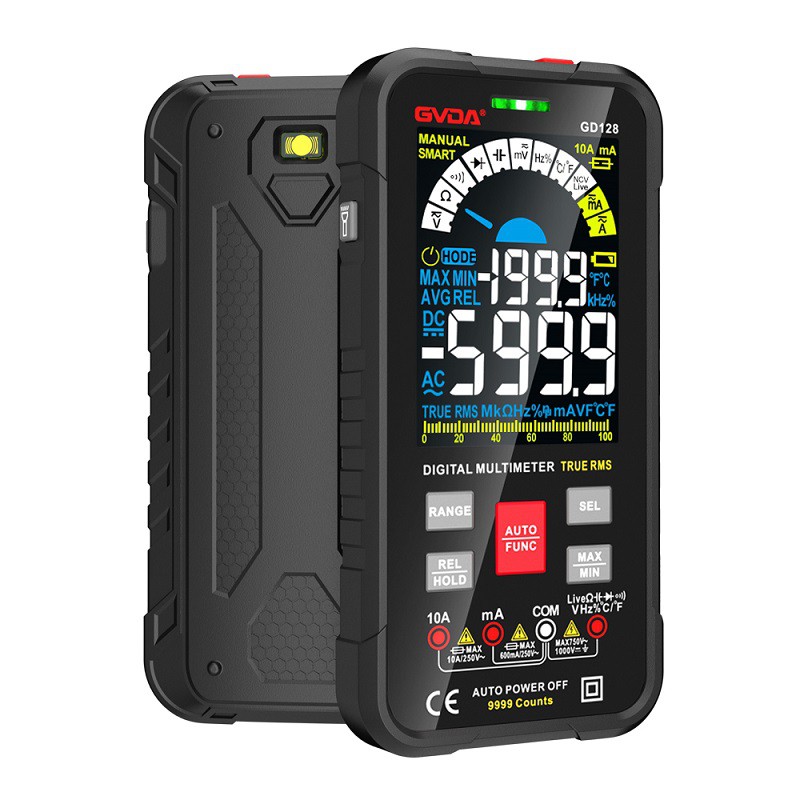
Measuring the quality of capacitance with a digital universal meter
1) Good or bad judgment
Step 1: Gear selection. Turn the conversion switch of the digital multimeter to the gear marked with the "Ω" symbol, and select the range gear of "diode with buzzer".
Step 2: Detect the operation. The two probes do not distinguish between positive and negative, but touch the two pins of the capacitor separately. At this point, the number displayed on the LCD screen quickly flashes and immediately displays the starting symbol (also known as the "overflow symbol") "1", and then exchanges the pen to test again. At this point, a negative sign "~" appears before the number displayed on the LCD screen, and then the number quickly flashes, with the starting symbol "1" appearing. The above situation indicates that the forward and reverse charging process of the tested capacitor is normal and good. If during the above testing process, the number displayed on the LCD screen cannot display "1" after rapid flashing, and there is an unstable resistance reading all the time, it indicates that the tested capacitor has leakage; If the LCD screen displays "0" (or close to "0") during two tests of exchanging probes and the buzzer keeps ringing, it indicates that the tested capacitor has been short circuited; If only the overflow symbol "1" is displayed without a flashing process of numbers, it indicates that the tested capacitor is open circuit.
Note: For capacitors with larger capacity, when the two probes touch the pins at both ends of the capacitor, the buzzer will have a brief sound process. The larger the capacity of the capacitor, the longer the buzzer will sound. This is because at the beginning of charging a large capacity capacitor, a large amount of heterogeneous charges move and accumulate towards the two plates of the capacitor in the circuit, resulting in a higher current and lower impedance in the circuit. So, when testing capacitors with larger capacities, the time the probe contacts the capacitor pins should not be too short, otherwise it may cause incorrect judgments.
Step 3: Detection and judgment of whether there is leakage.
When the detection of the second step above is completed and the digital flicker process on the LCD screen of the digital multimeter is completed, and only the overflow symbol "1" is displayed and no longer changes, it indicates that the charging process of the tested capacitor has ended, and there is already a storage voltage of about 2.6V at both ends (this voltage is the voltage between the two probes of the digital multimeter when using the diode gear). At this point, remove the lead from the pin of the capacitor, and then turn the conversion switch of the digital multimeter to the DC voltage measurement range marked with the "V -" symbol. Select the 20V range range, and then touch the two leads of the capacitor separately to detect the energy storage voltage at both ends. By observing the speed at which the voltage value on the LCD screen decreases, one can determine whether the measured capacitor is leaking. If the voltage reading gradually decreases at an extremely slow rate, it indicates that the stored energy of the capacitor is slowly released through the "internal resistance", indicating that there is no leakage phenomenon in the measured capacitor; If the voltage reading drops rapidly and quickly drops to 0, it indicates that the measured capacitor has leakage and cannot continue to be used in the circuit.
2) Judgment on whether the capacity has changed
Step 1: Using an electric soldering iron, extend the pins at both ends of the capacitor with wires to facilitate insertion into the capacitor measurement socket of the digital multimeter.
Step 2: Operation of capacity detection. Turn the conversion switch of the digital multimeter to the capacitor capacity measurement range marked with "F", and then select an appropriate range range based on the nominal capacity of the tested capacitor. Then touch the elongated capacitor pins with each other a few times to discharge, and after the discharge operation, insert the two pins into the two strip sockets labeled "cx". Due to the difference between positive and negative in these two strip jacks, when inserting capacitor pins, the positive and negative polarity of the tested electrolytic capacitor should be aligned with the "+" and "-" symbols marked on the jacks to ensure measurement accuracy.
Step 3: Make a judgment based on the reading.
After the reading displayed on the LCD screen stabilizes after a short period of time, the quality of the capacitor can be judged based on the difference between the nominal capacity and the reading. Due to the allowable error range of niobium and tantalum electrolytic capacitors being ± 10%, if the displayed reading remains stable within the allowable error range, it indicates that the tested capacitor is good; If the reading is too small compared to the nominal capacity, it indicates that the capacity of the capacitor has changed and cannot be used anymore; If the overflow symbol "1" is no longer displayed on the LCD screen at the beginning, it indicates that the internal circuit of the capacitor is damaged or the electrolyte is dry, and the capacity has been completely lost; If the reading shows "0" or close to "0" and the buzzer keeps ringing, it indicates that the measured capacitor has an internal short circuit.