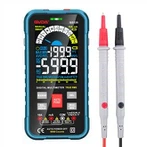
Phase sequence detection of Pen type smart multimeter GVDA GD107
1) Press  key to power on,
2) Press "FUNC" key to select "Phase" gear to enter the phase sequence detection state
a) Display the "PA" symbol with the "A" letter flashing and plug in the sensing probe to the first phase line socket , waiting for a beep
b) Display the "PAB" symbol with the "B" letter flashing and plug in the sensing probe to the second phase line socket and wait for a beep
c) Display the "PABC" symbol with the "C" letter flashing and plug in the sensing probe to the third phase line socket and wait for a long beep
d) At the end of the test, the display will display the measurement results on the display
◆"P --- L" symbol displayed on the screen indicates left-handed phase sequence
◆"P --- R" symbol displayed on the screen indicates right -handed phase sequence
Note1:Please complete the test on the three wires within 1 minute, otherwise the detection timeout error will occur, The prompt is that the PABC symbol appear and the P letter flashes. In case of timeout error, please return to phase sequence detection function for the retest .