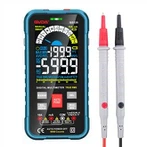
Calibration method for coating thickness gauge MPO:
1 On/Off instrument
Explanation: The instrument does not have a dedicated switch.
Turn on the instrument
-Automatically turns on when the instrument is placed on the workpiece. If the instrument is placed on a non ferromagnetic or non-conductive material, the display screen will display "Er6" and then display four horizontal short lines without displaying any readings.
-Another way to turn on the computer is to press the [OK] button.
Please pay attention!
Do not turn on the instrument by pressing the sensor with your fingers! This may result in incorrect measurement results.
Instrument shutdown/automatic shutdown
If left unused for one minute, the instrument will automatically shut down. (Off=no display on the instrument).
Measurement of coating thickness
After the instrument is turned on, place it on the workpiece to be measured and wait for the instrument to make a measurement sound. This method can automatically turn on the instrument.
2. Lift the instrument away from the workpiece.
Display the reading after measuring the sound. Explanation: If the instrument is lifted too early (before there is a sound), the error message "Er6" will appear. Repeat step 1.
When the instrument is already turned on, the reading will immediately display. The instrument displays both when placed on the measuring workpiece and when lifted.
Measure with MP0
Display the measurement data stored in the instrument
The instrument can store up to 999 measurement data.
1. Use the [5] or [6] keys to scroll through the measurement data.
After flipping over the first or last measurement data, the screen will display "----" and maintain it for about 1 second.
You can continue measuring at any time.
Delete all measurement data
1. Press the [5] or [6] keys.
2. Press the [CAL] key.
Delete will display for 2 seconds.
3. Press the [OK] key when "del" is displayed.
All measurement data within the instrument will be deleted.
When 'del' is not displayed, pressing the [OK] key will cause no reaction.
normalization
Normalization is used to adjust measuring instruments. Normalization requires an unplated substrate, and the shape and material of the substrate must be consistent with the measured workpiece.
Explanation: Normalization will delete all memory data.
Normalized instrument (premise: the instrument is in the on state)
1. Press the [CAL] key Display 'Base' (i.e. 'unplated substrate')
2. Measure around five times on the substrate
After each measurement, the current reading will be displayed.
3. Press the [OK] key twice
The screen displays' Er17 ', ignore it.
Complete the normalization procedure.
(MPO calibration method for coating thickness gauge) steps;
calibration
Calibration requires the following items: substrate (shape and substrate material must be consistent with the tested component) and a standard piece (instrument random 75 µ m