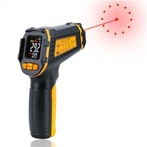
The digital multimeter adopts advanced digital display technology, the display is clear and intuitive, and the reading is accurate. It not only ensures the objectivity of readings, but also conforms to people's reading habits, and can shorten the reading or recording time. These advantages are not available in traditional analog (ie, pointer) multimeters.
Accuracy (precision): The accuracy of a digital multimeter is the combination of systematic and random errors in the measurement results. It indicates the degree of agreement between the measured value and the true value, and also reflects the size of the measurement error. Generally speaking, the higher the accuracy, the smaller the measurement error, and vice versa. Digital multimeters are far more accurate than analog analog multimeters. The accuracy of the multimeter is a very important indicator, which reflects the quality and technological capability of the multimeter.
Resolution (resolution): The voltage value corresponding to the last word of the digital multimeter on the lowest voltage range is called resolution, which reflects the sensitivity of the instrument. The resolution of digital digital instruments increases with the number of displayed digits. The highest resolution index that can be achieved by digital multimeters with different digits is different. The resolution index of the digital multimeter can also be displayed by resolution. Resolution is the percentage of the smallest number (other than zero) that the meter can display to the largest number. It should be pointed out that resolution and accuracy belong to two different concepts. The former characterizes the "sensitivity" of the instrument, that is, the ability to "recognize" tiny voltages; the latter reflects the "accuracy" of the measurement, that is, the degree to which the measurement result is consistent with the true value. There is no necessary connection between the two, so they cannot be confused, and the resolution (or resolution) must not be mistaken for similar to the accuracy. From a measurement point of view, resolution is a "virtual" indicator (which has nothing to do with measurement error), while accuracy is a "real" indicator (it determines the size of measurement error). Therefore, it is impossible to arbitrarily increase the display digits to improve the resolution of the instrument.
Measuring range: In the multi-function digital multimeter, different functions have their corresponding maximum and minimum values that can be measured.
Measurement rate: The number of times the digital multimeter measures the power to be measured per second is called the measurement rate, and its unit is "times/s". It mainly depends on the conversion rate of the A/D converter. Some handheld digital multimeters use the measurement cycle to indicate the speed of measurement. The time required to complete a measurement process is called the measurement cycle. : There is a contradiction between the measurement rate and the accuracy index. Usually, the higher the accuracy, the lower the measurement rate, and it is difficult to balance the two. To solve this contradiction, you can set different display digits or set the measurement speed switch on the same multimeter: add a fast measurement file, which is used for A/D converters with a faster measurement speed; To improve the measurement rate, this method is relatively common and can meet the needs of different users for the measurement rate.
Input impedance: When measuring voltage, the meter should have a high input impedance, so that the current drawn from the circuit under test during the measurement process is very small, it will not affect the working state of the circuit under test or the signal source, and the measurement error can be reduced.
When measuring current, the meter should have a very low input impedance, so that after connecting to the circuit under test, the impact of the meter on the circuit under test can be minimized. Burn out the instrument, please pay attention when using it.