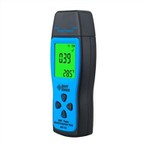
1. Single distance measurement.
Press the READ key to turn on the laser beam, aim the instrument at the target to be measured, and press the READ key again. The measured distance data will immediately appear on the display in the specified units.
2. Measure min/max values.
This function can measure the minimum and maximum distance from a fixed point as the starting point, and measure the interval distance.
Press and hold the READ key until you hear a beep, then the instrument goes into continuous measurement mode, then slowly sweeps the laser in front of and behind the target.
Press the READ key again to terminate the continuous measurement mode, and the measured maximum or minimum distance will be displayed in the main display area on the screen.
7. Function.
7.1 Addition and subtraction.
Add or subtract measurements as follows: measurement+/-measurement+/-measurement+/…=result. The same method can increase or decrease area and volume.
7.2 Area.
Press the Area/Volume key to measure the area. Take two necessary measurements and the corresponding results are displayed on the screen.
7.3 Volume.
Press the area/volume key twice to measure the volume and the corresponding icon will appear on the display. After three necessary measurements, the corresponding results will be displayed on the screen.
7.4 Indirect measurements.
The instrument can calculate distance by Pythagorean law. This function is suitable for edges not suitable for direct measurement or dangerous.
(1) This method is only used to measure distance and cannot replace accurate measurement.
② Determine the order of measuring sides.
③ All measurement points must be perpendicular or parallel to the plane.
④In order to ensure the accuracy of the measurement, it is best to rotate the instrument from a fixed point to measure.
8. Save Constants/Measured Values Save the constants/measured values.
8.1 Store constants.
A common value can be saved for recall. Measure the desired distance, press and hold the store key until you hear a beep, then save the desired value.
8.2 Readjust constants.
Press the store key to recall the constant, and the constant can be calculated at this time.
8.3 Latency Measurements.