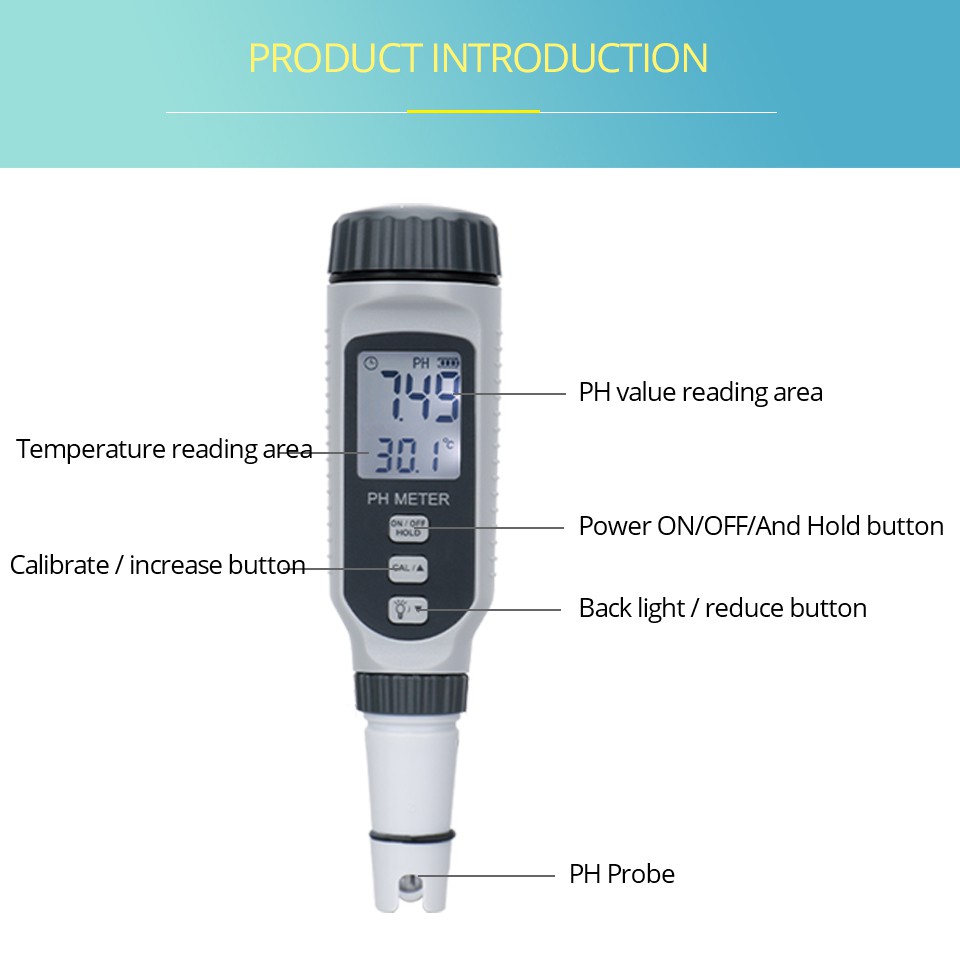
How to deal with an error in the pH meter
1. No response when turning on the computer
Reasons for the failure: 1) The circuit is not connected; 2) The external voltage is unstable; 3) The instrument is damaged.
Troubleshooting methods: 1) Check whether the power supply has voltage output; 2) If the instrument connected to an external regulated power supply does not respond when turned on, check the output of the regulated power supply. There should be a DC voltage of 9V; 3) Replace or repair according to regulations.
2. No display when booting
Reasons for the failure: 1) The wiring potential between the LCD screen and the motherboard does not match; 2) The connection line connecting the motherboard to the LCD screen is in poor contact or the instrument is damaged.
Troubleshooting method: 1) If the backlight is on when turning on the computer but no numbers are displayed, adjust the potentiometer on the motherboard; 2) Replace or repair according to regulations.
3. An error message appears during startup, with the word Err appearing.
Cause of failure: Desktop or portable pH meters generally have a self-test function. When the instrument detects a problem with the memory chip, this message will be displayed.
Troubleshooting method: Shut down, wait, and restart the pH meter several times. If the problem persists and the chip cannot be restored, please contact a professional engineer for repair.
Calibration steps for pH meter
1. Take out the sensor from the site and clean the glass electrode of the probe with clean water.
2. Pour the two standard solutions into the two prepared beakers.
3. Immerse the electrode into the first standard solution, open the instrument menu, and calibrate the first point. Different brands of instruments have different operation methods for the calibration menu. Please operate according to the accompanying instructions.
4. After the first point is calibrated, rinse the electrode with clean water, then put the electrode into the second standard solution, flip the meter menu, and calibrate the second point.
5. After the two-point calibration is completed, meters of different brands will display in different ways whether the meter has passed the calibration or is qualified.
6. If it passes, put the electrode back into the liquid to be measured and put the meter into operation.
7. If the meter calibration fails, repeat the above calibration process again. If it still fails, replace the electrode.