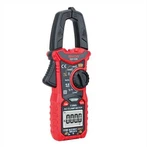
How to Scan for metal objects use your GVDA GD216 4 IN 1 Metal Detector Find Metal Wood Studs AC Voltage Live Wire Detect Wall Scanner Electric Box Finder Wall DetectorScanning for metal objects
•Maximum detection depth: Ferrous metals: 120mm; Non-ferrous metals (Copper): 80mm.
• Press and hold the button 6 and button 7 at the same time, you can switch the unit between inch and centimeter.
1.Position the tool onto the surface to be scanned.
2.Press the button 8 briefly to enter the metal detection mode, the symbol (工) will appear on the screen. When the tool is switched on, the default is metal detection mode.
3.Move the tool uniformly across the surface.
•When the tool comes close to a metal object,the scale m and the percentage n will increase. As the tool gets closer to the metal object, the yellow or red indicator will light and a steady tone sounds.
•When it moves away from the object, the scale m and the percentage n will decrease, and the buzzer stops sounding.
•If the metal object found is magnetic or non-magnetic, the indicator a will appear.
•When the metal is detected, the screen will show the depth value synchronously, but if the signal is weak, or the tool cannot distinguish that the metal object is magnetic or non-magnetic, the depth value will not be displayed. The depth value is the distance from the center of the sensor to the scanned object. At the position of minimum depth value, the metal object is located near the center of the sensor. The accuracy of the depth value is related to the shape, material, position and the surroundings of the metal object. When the scanned metal object is the standard rebar with a diameter of 20mm, the accuracy of the depth value is the best. The depth value can only be used as a rough reference value.
•When you detected back and forth repeatedly, the cross in icon l will appear at the position of the strongest signal, indicating that the metal object is located near the center of the sensor.
•For the high measuring sensitivity, when the wall is thin or the metal objects is thick, the area of metal detection appears much larger than the actual location. If you need to narrow detection, just reduce the measuring sensitivity. The sensitivity of metal detection is divided into four levels from low to high(1~4). The default is the highest sensitivity level (4). The sensitivity adjustment method is to press and hold the button 7 and button 8 at the same time. The specific number of level will be displayed on the screen. (Sensitivity will be restored to the highest level after restart)
Please notes:
•Always detect slowly to achieve maximum accuracy and sensitivity.
•To detect the object more precisely, move the detector repeatedly back and forth over the object.
•The ability to detect nails, screws, rebar and other metal objects is somewhat dependent on their orientation. For example, at any given depth it is easier for the unit to detect the length of a screw or nail than it is to detect the end of a screw or nail.
•“live” AC wires will be also indicated in metal detection mode. If the live wire is detected, the sign(  ) will appear.