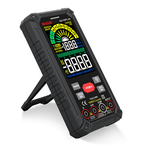
How to use a multimeter to find problems
If the device is not working, the first thing you think of is whether the device voltage is normal. You need to use the voltage range of the multimeter (choose AC voltage range or DC voltage range, it depends on whether your device is an AC device or a DC device) to measure. If the control circuit or secondary circuit is disconnected, even if you are familiar with the schematic, you need to use the voltage range to measure whether the voltage at a certain point is normal. If it is determined that the voltage at that point should not be there but is present, and what should be there is not, it indicates that there is a disconnection or poor contact at that point. In order to more accurately determine if there is a problem at that location, you also need to disconnect the power supply of the device. Use the ohm range of the multimeter to confirm if there is indeed a disconnection at that location, in order to troubleshoot the problem. Basically, it depends on your familiarity with the equipment and the accumulation of experience in your work. If you have any further questions, please feel free to ask.
How to record intermittent faults with a multimeter:
Use a multimeter to record the minimum/maximum/average values, and select the corresponding power (AC voltage, DC voltage, electricity) based on the measurement item
Ensure that the test circuit is connected properly before activating the minimum/maximum/average value function (impedance, AC current, DC current, and frequency), otherwise the minimum value reading will always be the environmental value before the test line is connected. This will affect the analysis of the recorded data after the end of the recording time, activate the minimum/search maximum/average value recording mode, and the multimeter display will indicate the maximum reading. When a new maximum or minimum value is detected, a buzzing sound will be emitted.
The advantage of this is that, while ensuring that the digital multimeter is not tampered with and poses no safety hazards to anyone, it can be left in place for measurement and focused on other tasks. At any time during the recording cycle, you can view the saved readings or pause the recording mode without deleting the saved readings.
How to continuously record intermittent faults with a multimeter:
Some multimeters not only have the function of recording minimum/maximum/average values, but also combine this function with another function called AutoHOLD and larger memory, forming the power of Event Logging. Automatic maintenance can sense when the measurement signal becomes unstable and when it stabilizes again. By using the auto hold function to trigger the start and stop of the minimum/maximum value recording function, the digital multimeter is not limited to detecting faults that generate minimum or maximum values.
If the multimeter has an infrared RS232 interface, the continuous recording function will be more powerful, and it can become a simple event collector to transmit the data collected by the multimeter to a computer. By using computers, detailed analysis can be conducted on every stable and unstable event. You can not only view the minimum and maximum values during each stable and unstable cycle, but also the start and end times of each cycle. Additionally, record the average value for each cycle. At the same time, it can dynamically detect the trend of voltage or current changes.
3. How to mark the recording time with a multimeter:
The time when the minimum and maximum values are detected is very useful information for determining the cause of intermittent faults. A digital multimeter can store the amount of time between starting recording and saving a new minimum, maximum, or average value in minimum/maximum/average recording mode. Therefore, each saved minimum, maximum, and average value has a corresponding 'time stamp'.
Nowadays, digital multimeters with digital acquisition or storage capabilities also have the same strip recording function through computers or their own memory. If the digital multimeter has a minimum/maximum/average value recording mode, like a paper tape recorder, the digital multimeter also reads the input readings at certain intervals. But unlike a paper tape recorder that stores individual readings, the reading is compared with the previously saved reading to determine whether the value is higher than the previous maximum value or lower than the previous minimum value j. If so, the new reading will replace the value stored in the high or low reading register. After a period of recording, you can retrieve the values of these storage devices for display and view the maximum and minimum values during the recording period.