Maintenance of Smart Multimeter Clean
When cleaning the meter, please follow the following steps:
1) Turn off the meter power and remove the probes.
2) Wipe the case with a damp cloth or mild detergent. Do not use abrasives or solvents. Wipe the contacts in each input socket with a clean swab soaked in alcohol.
Always keep the inside of the meter clean and dry to prevent electric shock or damage to the meter.
Replace battery
1) Turn off the meter power and remove the probes.
2) Remove the screw fixing the battery cover and remove the battery cover.
3) Remove the old battery and replace it with a new one of the same specification. Please pay attention to the battery polarity.
4) Install the battery cover back to its original position, and fix and lock the battery cover with screws.
To avoid electric shock or personal injury caused by wrong reading, please replace the battery immediately when the battery is low. Do not discharge the battery by shorting it or reversing its polarity.
To operate and maintain the meter safely, please take out the battery when it is not used for a long time to prevent the battery leakage from damaging the product.
Replace fuse
1) Turn off the meter power and remove the probes.
Remove the screw fixing the back
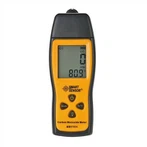
GVDA Digital Multimeter 9999 Counts DMM Voltmeter True RMS AC DC NCV Voltage Meter Smart Ammeter Auto Range Capacitance Tester: