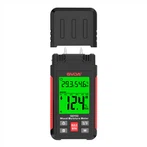
Operation steps of high-resolution infrared thermometer to measure temperature
1. Go to the place to be tested and take out the instrument from the box;
2. Hold the handle of the thermometer with your right hand, and pull the switch with your index finger. You will hear the sound of "biu-biu". When the power is turned on, the screen will display the temperature of the object you are facing. Pay attention to the distance factor when measuring.
3. To measure an object, point the lens at the object to be measured, and press and hold the switch to measure. At this time, a scanning symbol will appear on the upper left side of the screen, indicating that it is measuring. Release the switch, and a hold symbol will appear on the upper left side of the screen. This is the screen Displayed on the display is the temperature of the measured object.
4. To use the instrument in an environment with unclear sight or darkness, first release the power switch button, and then press the laser/backlight button, and the laser/backlight symbol will be displayed on the screen, which is to press the switch to measure, You will see red dots appear on the measured object, indicating that the temperature of the area is being measured. When not in use, release the power button, then press the laser/backlight button, press once without laser, press twice without backlight, press three times without backlight and laser.
5. When testing a surface (such as airtight), the fixed-point method can be used, and it must be recorded in time for each measurement. The measurement data is automatically kept for 7 seconds, and if there is no operation, it will automatically shut down in 30 seconds. The backlight turns off automatically after a ten-second delay.