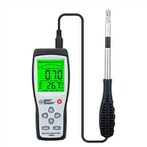
Ten ways to analyse anemometers for daily maintenance
Anemometers, also known as anemometers or anemometers (detailed information can be found in the handheld anemometer WS-40 of Hongrui Technology), may experience malfunctions during use due to operational errors or environmental issues, which can have a certain impact on the normal use and performance of anemometers.
Daily maintenance methods for anemometers:
1. It is prohibited to use an anemometer in flammable gas environments.
2. It is prohibited to place the anemometer probe in flammable gases. Otherwise, it may lead to fire or even explosion.
3. Please use the anemometer correctly according to the requirements of the user manual. Improper use may lead to electric shock, fire, and damage to sensors.
4. In use, if the anemometer emits abnormal odor, sound, or smoke, or if liquid flows into the anemometer, please immediately shut down and remove the battery. Otherwise, there is a risk of electric shock, fire, and damage to the anemometer.
5. Do not expose the probe and anemometer body to rain. Otherwise, there may be risks of electric shock, fire, and personal injury.
6. Do not touch the internal sensor area of the probe.
When the anemometer is not in use for a long time, please remove the internal battery. Otherwise, the battery may leak liquid, causing damage to the anemometer.
8. Do not place the anemometer in areas with high temperature, humidity, dust, and direct sunlight. Otherwise, it will cause damage to internal components or deterioration of anemometer performance.
9. Do not use volatile liquids to wipe the anemometer. Otherwise, it may cause deformation and discoloration of the anemometer housing. When there are stains on the surface of the anemometer, a soft fabric and neutral detergent can be used to wipe it off.
10. Do not drop or heavily press the anemometer. Otherwise, it will cause malfunction or damage to the anemometer.