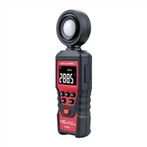
The usage method and measurement skills of digital multimeter
Determine whether the circuit or device is live or not:
The AC voltage range of a digital multimeter is very sensitive, even if there is a small induced voltage around it, it can display it. Based on this characteristic, it can be used as a test pen. The usage is as follows: Set the multimeter to the AC20V position, hang the black probe in the air, hold the red probe in hand and make contact with the circuit or device on the side. At this time, the multimeter will display a number. If the number displayed is between a few volts and a dozen volts (different multimeters will have different displays), it indicates that the circuit or device is live. If the display is zero or very small, it indicates that the circuit or device is not live.
Distinguish whether the power supply line is live or neutral:
The first method: You can use the above method to determine: the one with a larger number is the live line, and the one with a smaller number is the zero line. This method requires contact with the measured circuit or device.
The second method: does not require contact with the measured circuit or device. Set the multimeter to AC2V, with the black probe hanging in the air, hold the red probe in hand and gently slide the tip of the pen along the line. If the meter shows a few volts, it indicates that the line is a live wire. If it shows only a few volts or even less, it indicates that the line is a zero wire. This method of judgment does not come into direct contact with the circuit. It is not only safe but also convenient and fast.
3, Finding cable breakpoints: When a breakpoint appears in a cable, the traditional method is to use a multimeter to measure resistance and search for the cable's breakpoints section by section. This not only wastes time, but also greatly damages the insulation of the cable. By utilizing the sensing characteristics of a digital multimeter, the disconnection point of the cable can be quickly identified. First, use a resistance gauge to determine which cable core wire has a broken circuit. Then connect one end of the broken wire to the AC220V power supply, and then turn the multimeter to the AC2V position. Hold the black probe in the air and gently slide the tip of the red probe along the line. If there is a voltage of a few volts or a few tenths of a volt (depending on the cable) displayed on the meter, and if the display suddenly decreases significantly when moving to a certain position, note this position: generally. The breakpoint is located between 10-20cm in front of this position.
4, Measuring the frequency of UPS power supply: For UPS power supply, the stability of its output voltage is an important parameter, and the frequency of its output is also important. But it cannot be directly measured using the frequency range of a digital multimeter, as its frequency range can withstand very low voltages, only a few volts. At this point, a 220V/6V or 220V/4V step-down transformer can be connected to the output terminal of the UPS power supply to reduce the voltage without changing the frequency of the power supply. Then, the frequency shift can be connected to the output of the transformer to measure the frequency of the UPS power supply.
5, Use a digital multimeter to test the quality of a transistor: Use a diode range to measure if one pin is connected to the other two pins, but those two pins are not connected (for a digital meter, if the pin that is connected to the other two pins is a red pen, then it is an NPN transistor; if it is connected to a black pen, then it is a PNP transistor. If a pointer meter is used, then the opposite is true). This pin is the base collector B, and B has burned out on one of its transistors. (Not applicable for devices with internal protective diodes.)
If the voltage drop measured with a diode range is greater than 0.5V, then this is a silicon tube. If it is around 0.2V, then this is a germanium tube.