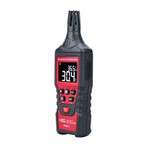
How to find whether the line is grounded with digital multimeter
method one:
1. First separate the live wire and the neutral wire. Ground wire: Turn the multimeter to the AC voltage range, and the range is higher than 220V. Insert the red test lead into the voltage hole, leave the black test lead unplugged, then insert the red test lead into one of the jacks of the socket and observe the reading. The largest reading is the live wire, the smaller reading is the zero wire, and the one that has basically no movement is the ground wire. If there are 2 readings that are small and one that is large, the ground wire is not grounded, and the ground wire is also connected to the neutral wire. There is no need to measure in the second step.
2. Measure the ground wire: After the live wire, neutral wire, and ground wire are separated, the multimeter is still in the previous gear (AC gear is above 220V), and the red and black test leads are inserted into the voltage hole and the COM hole respectively. Use two test pens to measure the voltage of the live wire to the neutral wire and the voltage of the live wire to the ground wire respectively. If the two voltage values are basically the same, it means that the ground wire is grounded; if the voltage value of the live wire to the ground wire is basically zero or very small, It means that the ground wire is not grounded.
Method Two:
1. Set the digital multimeter to the resistance range above 20K, and measure the phase-to-phase insulation respectively.
2. Measure the grounding of the line, and measure the casing of the electrical equipment. If the grounding of the line touches the casing of the equipment, the resistance value is generally more than a few hundred ohms, or even zero.
3. If you only measure the resistance of the line to the ground, it is not easy to measure it with a multimeter. It is recommended to use a resistance meter for measurement.