How to measure 400 microfarad capacitance with pointer multimeter
Capacitors are one of the most commonly used electronic components. The shape and circuit symbol of the capacitor are shown in the figure. The common text symbol for capacitors is "C". The capacitor is mainly composed of metal electrodes, dielectric layers and electrode leads, and the two electrodes are insulated from each other. Therefore, it has the basic performance of "blocking DC and communicating with AC".
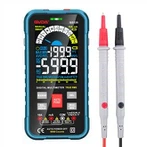
Some digital multimeters have the function of measuring capacitance, and their ranges are divided into five levels: 2000p, 20n, 200n, 2μ and 20μ. When measuring, the two pins of the discharged capacitor can be directly inserted into the Cx jack on the panel, and the displayed data can be read after selecting an appropriate range. 2000p file is suitable for measuring capacitance less than 2000pF; 20n file is suitable for measuring capacitance between 2000pF and 20nF; 200n file is suitable for measuring capacitance between 20nF and 200nF; 2μ file is suitable for measuring capacitance between 200nF and 2μF Capacitance; 20μ range, suitable for measuring capacitance between 2μF and 20μF.
Experience has proved that some types of digital multimeters (such as DT890B+) have large errors when measuring small-capacity capacitors below 50pF, and there is almost no reference value for measuring capacitance below 20pF. At this time, the series method can be used to measure small-value capacitance. The method is: first find a capacitor of about 220pF, measure its actual capacity C1 with a digital multimeter, and then connect the small capacitor to be tested in parallel to measure its total capacity C2, then the difference between the two (C1-C2) is The capacity of the small capacitor to be tested. It is very accurate to measure the small capacity capacitance of 1-20pF by this method.
Detection with resistance file
Practice has proved that the charging process of the capacitor can also be observed by using a digital multimeter, which actually reflects the change of the charging voltage with discrete digital quantities. Assuming that the measurement rate of the digital multimeter is n times/second, when observing the charging process of the capacitor, n readings that are independent of each other and increase sequentially can be seen every second. According to this display feature of the digital multimeter, it is possible to detect whether the capacitor is good or bad and estimate the capacitance. The following is a method to detect capacitors using the resistance range of a digital multimeter, which is of great practical value for instruments that do not have a capacitance range. This method is suitable for measuring large-capacity capacitors ranging from 0.1 μF to several thousand microfarads.
1. Measurement operation method
Turn the digital multimeter to the appropriate resistance level, and the red test lead and the black test lead respectively touch the two poles of the capacitor Cx under test. At this time, the displayed value will gradually increase from "000" until the overflow symbol "1" is displayed. If "000" is always displayed, it means that the capacitor is internally short-circuited; if it is always displayed as overflow, it may be that the internal electrode of the capacitor is open, or the selected resistance file may not be suitable. When checking the electrolytic capacitor, it should be noted that the red test lead (positively charged) is connected to the positive pole of the capacitor, and the black test lead is connected to the negative pole of the capacitor.
2. Measuring principle
The measurement principle of measuring capacitors with resistance files is shown in Figure 5-11(b). During the measurement, the positive power supply charges the measured capacitor Cx through the standard resistance R0. At the moment of charging, because Vc = 0, "000" is displayed. As Vc increases gradually, the displayed value increases accordingly. When Vc = 2VR, the meter starts to display the overflow symbol "1". Charging time t is the time required for the display value to change from "000" to overflow, and this period of time can be measured by a quartz watch.
3. Measured data for estimating capacitance using a digital multimeter
When using a digital multimeter to estimate the capacitance of a capacitor from 0.1 μF to several thousand microfarads, you can select the resistance range according to Table 5-1. The range of measurable capacitance and the corresponding charging time are given in the table. The data listed in the table is also of reference value for other models of digital multimeters. the
The principle of selecting the range of the resistance file is: when the capacitance is small, the high resistance file should be selected, and when the capacitance is large, the low resistance file should be selected. If you use a high-resistance file to estimate a large-capacity capacitor, because the charging process is very slow, the measurement time will last for a long time; if you use a low-resistance file to check a small-capacity capacitor, because the charging time is very short, the meter will always display overflow, and the change process cannot be seen .
How to judge the quality of air conditioner capacitor
Check with a digital multimeter, set the digital multimeter to the appropriate resistance level, and the red test lead and black test lead respectively touch the two poles of the capacitor under test. At this time, the displayed value will gradually increase from 000 until the overflow symbol "1" is displayed. If 000 is always displayed, it means that the capacitor is shorted internally. If overflow is always displayed, it may be an open circuit between the electrodes inside the capacitor, or the selected resistance file may be inappropriate.
In order to see the charging process of the capacitor on the display screen, different resistance levels should be selected for capacitors with different capacities. The principle of selecting the resistance file is: when the capacitor is large, the low resistance file should be selected; when the capacitor capacity is small, the high resistance file should be selected. If you use a low-resistance file to check a small-capacity capacitor, because the charging time is very short, it will always display overflow, and the change process cannot be seen, so it is easy to misjudge that the capacitor is open. If a high-resistance file is used to check a large-capacity capacitor, the measurement time needs to be relatively long due to the slow charging process. For capacitors above 0.1~1000uF, the resistance range can be selected according to the table (the charging time in the table refers to the time required for the display range to change from 000 to overflow).