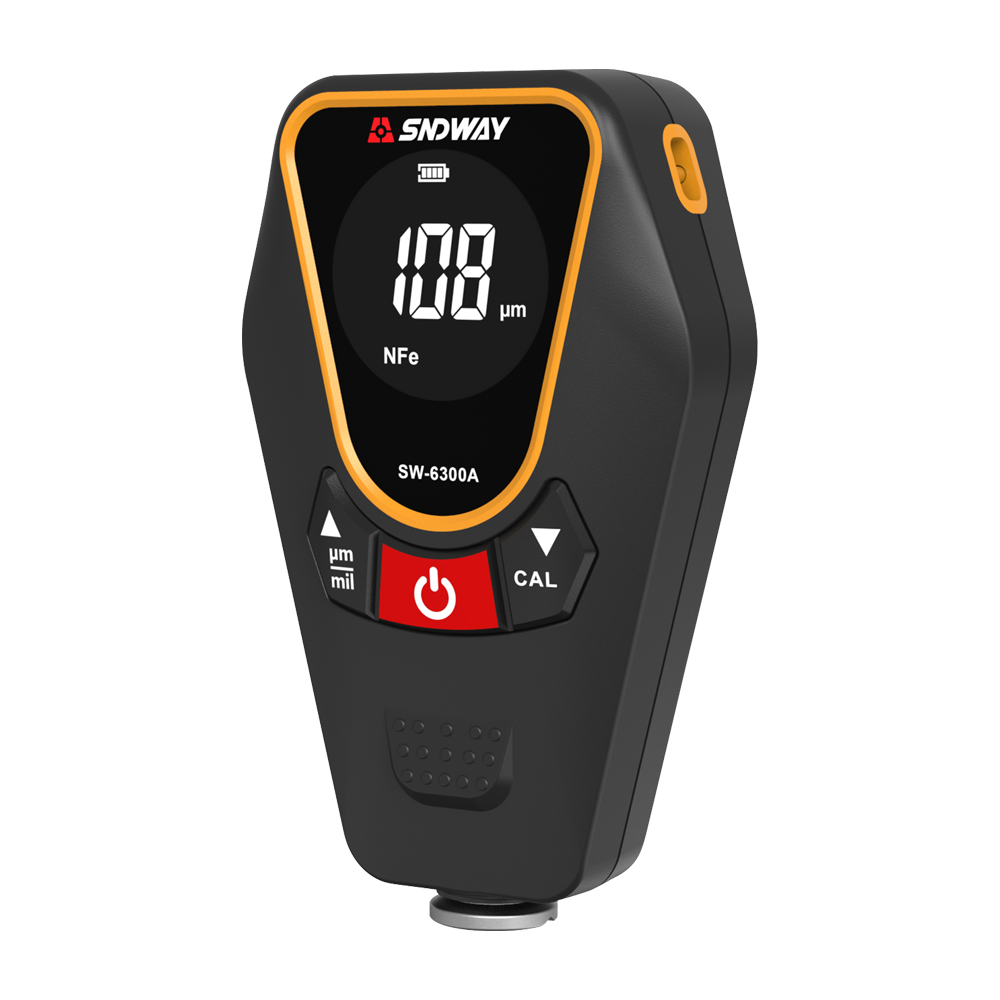
Calibration Operation of Coating Thickness Gauge
1) Coating thickness gauge calibration - substrate calibration
Put the instrument firmly and fit it on two substrates (there is only one iron base) to test. If the test results are all 0, then you can directly take the calibration sheet for testing, or directly test the customer's product; if the test substrate results have a value Yes, press the "ZERO (on the left side of the power button)" button to return to zero and then test the base (cannot be calibrated on the calibration sheet, otherwise a negative number will appear), the test base shows 0, indicating that the calibration is successful. If there is still a value, repeat the above zeroing steps until the calibration value is 0.
2) Coating Thickness Gauge Calibration Sheet - Calibration/Correction
Test the calibration sheet, the value is within the deviation range, and the customer's product can be directly tested
Test the calibration sheet, the value deviation is large, press the "up button" and "down button" to correct the value to the value of the calibration sheet. The above steps can be repeated several times until the value is within the normal error.
3) Restore the factory settings of the coating thickness gauge
When the operation is wrong and I don’t know how to correct it, you can press and hold the "upper left key" and "upper right key" at the same time, and an English prompt will appear whether to calibrate, use the up and down keys to select "YES", and then press the "unit switching key" to confirm the factory reset. Calibrate according to the calibration steps and it can be used normally.