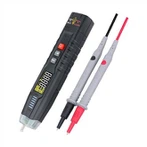
How to use TT220 coating thickness gauge
Detailed explanation of the use method of TT220 coating thickness gauge
Basic measurement steps of Times TT220 coating thickness gauge
1. Prepare the test piece (see Chapter 5).
2. Put the measuring head of TT220 coating thickness gauge in an open space, press the "ON/C" key to start the machine.
3. Check the power supply of TT220 coating thickness gauge
● If there is no “╪” display, it means the battery voltage is normal;
● "╪" appears, indicating that the battery voltage has dropped and should be charged;
● After starting up, "╪" will appear and the device will automatically shut down, indicating that the battery voltage is low and should be charged immediately.
4. Under normal circumstances, the TT220 coating thickness gauge will display the measured value before the last shutdown after it is turned on.
5. Is it necessary to calibrate the instrument, and if so, select an appropriate calibration method (see Chapter 4).
6. Measurement
Quickly touch the probe of the TT220 coating thickness gauge perpendicular to the test surface and press it lightly. With a beep, the screen will display the measured value. Lift the probe of the TT220 coating thickness gauge to perform the next measurement; During the measurement, the measuring head of the TT220 coating thickness gauge is not placed stably, and the TT220 coating thickness gauge displays an obvious suspicious value, which can be deleted in the "DEL ONE?" status; repeat the measurement for more than three times, and click "DIS STATS?" Status, which can display five statistical values in sequence, namely: average value (MEAN), maximum measurement value (MAX), minimum measurement value (MIN), measurement times (NO.), standard deviation (S.DEV).
⒎ Shutdown: In the case of no operation, the TT220 coating thickness gauge will automatically shut down after about 2~3 minutes.
Various functions and operation methods of TT220 coating thickness gauge
1. Measurement method (single measurement? Continuous measurement)
● Single measurement mode - every time the probe touches the object under test, the measurement result will be displayed with a beep. If you want to measure again, you must lift the probe away from the tested object, and then press down the probe.
●Continuous measurement mode──Measurement without lifting the probe, no beeping during the measurement process, and the display screen continuously displays the measurement results.
● The conversion method of the two modes is: in the off state, press and hold the "MODE" key, and then press the "ON/C" key, with a beep, the conversion is completed.
2. Working mode (direct mode, group mode)
● Direct (DIRECT) mode——This mode is used for random measurement, and the measured value is temporarily stored in the memory unit (15 storage units in total). When the 15 storage units are full, the new measured value will replace the old measured value, and the value involved in the statistical calculation is always 15 data;
● BATCH mode (BATCH)──This mode is convenient for users to record the tested data in batches, a group of up to 15 values, when a group (15) of data is full, the screen will display "PRINT ALL ?” to print out the set of values and their statistical calculation values. Use "DELALL?" to delete this set of data, otherwise no new measurement can be performed. The grouping method avoids the arbitrariness of replacing the old value with the new value in the direct method.
⒊ delete
● Delete the current value: If the current measurement result has a large error and you do not want the result to be included in the statistical calculation, you can press the "MODE" key until the screen prompts this time, press the "ON/C" key to delete the data
● Delete all data: If you want to delete all the data in the internal memory for a new round of measurement, press the "MODE" key until the screen prompts
⒋ Statistical calculation
Statistical calculations can be performed as long as there are 3 measured values. The operation method is: repeat the measurement for more than 3 times, press the "MODE" key until the screen displays, press the ▲ or ▼ key, the average value (MEAN), the maximum measurement value (MAX), the minimum measurement value (MIN), the number of measurements (NO .), standard deviation (S.DEV) can be displayed in sequence.