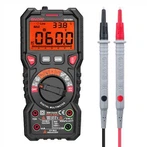
Detailed explanation of the use of induction digital display test pen
1, Button Description:
A key "Direct": This is the direct measurement key (located far from the LCD screen), which means that when using the metal front end of the electric pen (referred to as the pen head) to directly contact the circuit, please press this button;
B key "INDUCTANCE": This is the sensing/breakpoint measurement key (closer to the LCD screen), which means that when using a batch head to sense (note that it is sensing, not directly contacting) the circuit, please press this button.
No matter how the text is printed on the stylus, generally speaking, the one farther away from the LCD screen is the direct measurement key, and the one closer to the LCD screen is the sensing/breakpoint measurement key. If the layout is not like this, it indicates that it is a counterfeit or inferior product. For your safety reasons, it is not recommended to purchase.
Direct detection:
1. Lightly touch the Direct button, and the metal front end of the measuring pen will directly contact the object being tested:
1.1 The final number is the measured voltage value (this measuring pen is divided into five voltage values: 12V, 36V, 55V, 110V, 220V, usually ≤ 36V is not life-threatening);
When the display value reaches 70% of the high range, the low range value is displayed;
1.3. When measuring non ground direct current, touch the other pole (such as positive or negative pole) with your hand.
When the electric pen comes into direct contact with the live wire, regardless of whether the hand touches any measurement key, the indicator light will immediately light up:
2.1 When the hand does not touch any measurement key, the indicator light will light up and display 12V, but this value is not accurate;
When the hand touches the sensing/breakpoint measurement button, the indicator light will light up and display 110V, but this value is not accurate;
When the hand touches the direct measurement button, the indicator light will light up and display 220V, which is accurate;
2.4 In summary, once the indicator light comes on without touching any measurement key, it indicates that there is a live 220V AC power supply. Remember to keep this in mind!
When the hand touches the direct measurement button, the indicator light may light up when the electric pen directly contacts conductive objects such as the human body, live wire, neutral wire, ground wire, metal, etc. At this time, the actual voltage is based on the reading. If there is no reading, it indicates that there is no voltage.
When the hand touches the sensing/breakpoint measurement button and the electric pen directly contacts the object being tested, there are two situations:
4.1 If the indicator light lights up and displays 110V, it indicates that there is a live wire of 220V AC power. Remember to remember!
4.2 The indicator light is not on, but a "high voltage symbol" appears. Please refer to points 1 and 2 in "III. Indirect Detection".