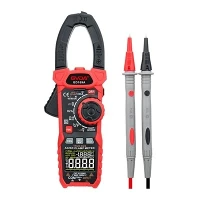
Digital Multimeter Faults and Prevention Methods
In most cases, damage to digital multimeters is caused by an incorrect measurement mode selection. For example, when measuring AC mains voltage with the meter set to the resistance range, touching the mains with the test leads will instantly damage internal components. Therefore, always check that the measurement mode is correct before use. After use, set the selector to AC 750V or DC 1000V to prevent damage from incorrect selection during the next measurement.
Some digital multimeter faults result from measuring voltage or current beyond the selected range. For instance, measuring mains voltage on the AC 20V range often damages the AC amplifier circuit, disabling AC voltage measurement. Exceeding the DC voltage range can also cause internal circuit failure. When measuring current, exceeding the range typically only blows the internal fuse without further damage. If the approximate voltage level is unknown, always start with the highest range, then switch down for more precise readings. For voltages far beyond the meter's maximum range, use high-voltage test probes, such as when measuring the final anode and focus high voltages in black-and-white or color televisions.
Most digital multimeters have a maximum DC voltage range of 1000V. Voltages below this level generally do not cause damage, but voltages above 1000V are very likely to damage the meter. Maximum measurable voltages may vary by model. If the voltage exceeds the range, use a resistive voltage divider. In addition, when measuring DC high voltages between 400V and 1000V, ensure firm contact between the probes and the measured points without vibration. Poor contact may cause inaccurate readings, internal damage, or even a complete loss of display.
When measuring resistance, never measure a live circuit under any circumstances.