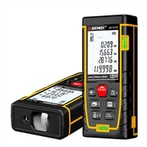
Laser rangefinders are generally used to measure distances and can measure the length between two objects, but in addition to the length, some multi-functional laser rangefinders can also be used to measure the area.
The method of measuring the area of the laser rangefinder is very simple. By measuring the vertical and horizontal distances, the space area can be quickly and automatically calculated. Without this function, the area of the entire surface can be calculated by measuring the distance between the two sides; some The laser rangefinder can also calculate the volume of the space through three consecutive measurements, which is very practical in the field of interior decoration.
How a pulsed laser rangefinder measures area.
1. Turn on the range finder, press - - down the function selection button in the middle of the range finder (the buttons of different brands of products may be different, you can find them by referring to the instruction manual).
2. You can switch between different functions through the + and buttons, find the function of area measurement, and press the function button again to confirm the selection.
3. After selecting the function of measuring area, there will generally be a display on the screen, and the measurement unit will also be switched to square meters or square feet, and then the measurement can be started.
4. Press the measurement button, stick the laser, and press the red button again to measure the length of one side; then aim the laser rangefinder at the other side, and press the red button again to measure the width.
5. After the measurement, the area of this surface will be automatically calculated on the interface.