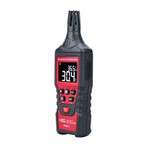
How to set the digital display meter to display the measured value correctly
Let's take a universal digital display meter of GD169A as an example to teach you how to set the digital display meter to display the measured value correctly.
First power on, the instrument is initialized, here you need to see the voltage level of the instrument, whether it is AC 220V or DC 24V
Then set the parameters, press the set key, the main window will display the parameter 555
Press the return key to modify the parameters, that is, enter the password, the password is generally indicated in the manual, and the Lande is generally 385 or 485
If the password is correct, it will enter the parameter setting interface. The first step is to set the input signal, display "in", the input signal
Note: The input signal here corresponds to the signal source you choose. The most commonly used ones are thermocouple thermal resistance and 4-20mA. If the transmitter transmits a 4-20mA power signal, just press the up and down keys to select parameter 17. .
After setting, it will automatically enter the next step, display 321, set the anti-interference level, and choose according to the instructions and the actual situation
After setting, it will automatically enter the next step, display dip, set the position of the decimal point, and set it according to the actual situation
After setting, it will automatically go to the next step, and it will display the set zero offset
There is always a constant difference between the displayed value and the actual value of the zero offset, as long as this constant is compensated, it can be displayed correctly
After setting, go to the next step automatically, select whether the signal is linear, if you choose yes, set the upper and lower limits of the range, if you choose no, go to the next step
Select several alarm points, and the number of alarm points can be selected according to different instruments. Set the alarm value, hysteresis value, and control code for each alarm point separately and then enter the next step
After setting, go to the next step automatically, select whether there is a transmission output, the digital display meter can perform signal transfer or signal conversion, and convert input signals of different specifications into the same signal such as 4-20mA output, providing signal sources for PLC or DCS . If you choose to have transmission output, set the transmission output mode, zero point and full scale value
After setting, go to the next step automatically. If the transmission output is selected in the upper part, the output can be calibrated in this step, which are zero point calibration and full scale value calibration respectively.
The setting number automatically enters the next step to set up 485 communication. If there is no 485 communication, you can skip it directly.
485 communication format reference value
END is displayed, the setting is completed, and then press the set key to exit the parameter setting screen, and the measured value is displayed normally after the setting is completed.