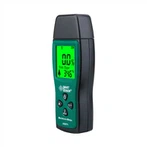
How to Test an Antenna's Impedance Using a Multimeter
A multimeter is a common electronic testing instrument that can be used to measure parameters such as voltage, current, resistance, and frequency. In the field of wireless communication, the impedance of an antenna is an important parameter that affects the effectiveness of signal transmission and the performance of the antenna. Therefore, it is very necessary to use a multimeter to measure the impedance of the antenna.
The following are the steps to use a multimeter to detect antenna impedance:
1. Determine the measurement range of the multimeter:
Before starting, it is necessary to determine whether the measurement range of the multimeter is suitable for measuring antenna impedance. Usually, the measurement range of a multimeter should be below the maximum impedance of the antenna to ensure the accuracy of the measurement results.
2. Determine the measurement point:
Choosing the appropriate measurement point is very important. Generally, the measurement point should be selected at the output port or terminal of the antenna connector. If the antenna has multiple connectors, the primary connector is usually chosen.
3. Choose the correct mode:
On a multi-purpose multimeter, there are usually different testing functions and measurement modes, such as voltage, current, and resistance. When measuring antenna impedance, the correct measurement mode should be selected.
4. Prepare appropriate adapters:
Sometimes, the probe of a multimeter may not be directly connected to the antenna connector. At this point, it is necessary to prepare some adapters to connect the probe of the multimeter to the antenna connector.
5. Connect testing equipment:
Connect the test wire of the multimeter to the testing point, ensuring a secure connection. If using an adapter, ensure that the connection of the adapter is also secure and reliable. This can ensure the accuracy of the measurement results.
6. Start measuring:
After connecting the testing equipment, you can start measuring the impedance of the antenna. According to the operating instructions of the multimeter, set the measurement mode to resistance and then read the measurement result.
7. Analyze the measurement results:
Compare the measured impedance value with the rated impedance of the antenna to determine its status. If the measurement result differs very little from the rated impedance, it indicates that the antenna is working properly. If there are significant differences, it may indicate a problem with the antenna and require further inspection or repair.
8. Record measurement data:
During the measurement process, the measurement results should be recorded, including impedance values and corresponding antenna information. This can facilitate subsequent reference and comparison.