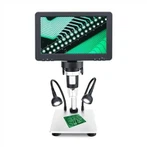
Proper use and maintenance of microscope
Keeping the optical components clean is very important to ensure good optical performance. When the microscope is not in use, the microscope should be covered with the dust cover provided with the instrument. If there is dust and dirt on the optical surface and instruments, blow off the dust with a blower or use a soft brush to remove the dirt before wiping the surface.
Optical surfaces should be cleaned with a lint-free cotton cloth, lens tissue, or a cotton swab dampened with a special lens cleaning solution. Please avoid using too much solvent. The lens cleaning paper or cotton swab should be properly moistened with solvent, but it should not penetrate into the objective lens due to the use of too much solvent, which will reduce the clarity of the objective lens and damage the objective lens.
The surface lens of the eyepiece and objective lens in the microscope is most susceptible to dust, dirt and oil. When the contrast, clarity is reduced, and fog occurs, it is necessary to carefully check the condition of the eyepiece and the lens in front of the objective lens with a magnifying glass.
Low magnification objectives have fairly large front elements that can be wiped with a cotton cloth or cotton swab wrapped around a finger and lens tissue dampened with ethanol. 40X and 100X need to be carefully checked with a magnifying glass. In order to achieve high flatness in the high-power lens, a front group lens with a small radius of curvature concave surface is applied. When wiping this group of lenses, use a toothpick or cotton swab with a cotton ball to clean it. Wipe the lens surface lightly. Avoid excessive force and scratching motions, and make sure the swab touches the concave surface of the lens. After cleaning, use a magnifying glass to check whether the objective lens is damaged. If it is necessary to open the observation lens barrel, be careful not to touch the exposed lens under the lens barrel. Fingerprints on the surface of the lens will reduce the clarity of the image. Clean the objective lens. wipe.
When the microscope has finished using the 100X oil lens, please wipe the surface of the oil lens clean in time and check whether the 40X objective lens is stained with oil, and if so, please wipe it off in time. Keep the microscope image clear all the time.
Instrument maintenance
The use of a dust cover is the most important factor in keeping the microscope in good mechanical and physical condition. If the shell of the microscope is stained, it can be cleaned with ethanol or soapy water (no other organic solvents are used for cleaning), but do not let these cleaning fluids seep into the microscope, causing short circuit or burning of the electronic components inside the microscope.
Keep the place where the microscope is used dry. When the microscope works in a high humidity environment for a long time, it is easy to increase the chance of mildew. Therefore, if the microscope has to work in these high humidity environments, it is recommended to use a dehumidifier. In addition, if you find any adverse conditions such as fog or mildew on the surface of the optical components, please contact professionals immediately for professional maintenance of your microscope.
Precautions for instrument maintenance
Taking the following measures may better prolong the use time of your microscope and keep it in good working condition.
(1) Before turning off the power of the microscope, please adjust the light of the microscope to the darkest.
(2) After turning off the power of the microscope, please wait for the light box to cool down completely (after about 15 minutes), and then cover the microscope dust cover.
(3) After turning on the power of the microscope, if it is not in use for a while, the light of the microscope can be adjusted to the darkest, without frequently switching the power of the microscope.
After working for one year, the microscope should be professionally maintained at least once a year.