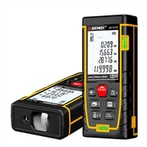
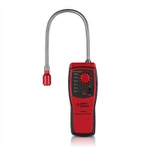
Scanning for wood studs of GVDA GD216 3 In 1 Handheld Wall Metal Detector Wire Finder Metal Wood Studs Live Wire Connector Detect Wall Scanner
•Maximum detection depth: Exact mode:20mm; Deep mode:38mm.
•Wood detection mode will detect objects in gypsum drywall, plywood sheathing, bare wood flooring, coated wooden wall.
•Wood detection mode will not detect objects in concrete, mortar, block, brick work, plaster, carpeting, foil-faced materials, metallic surfaces, ceramic tile, glass, or any other dense material.
•Sensing depth and accuracy will vary due to moisture, content of materials, wall texture, and paint.
•The wood detection mode actually detects more than just wood studs. It may also detect metal and other dense materials such as water-filled pipes and plastic pipes near the back of the surface in the wall or ceiling. To help identify wood studs, first conduct a metal scan and mark the location of any detected metal items. Then conduct a scan in the wood detection mode, Items that are detected in the wood detection mode but not in the metal detection mode are items that are possibly wood studs.
1.Hold the tool straight up and down, position it onto the surface to be scanned, and do not rotate the tool.
2.Press the button 6 briefly to enter the wood detection mode, the symbol ( ) will flash on the screen. Do not move until the symbol (
  ) stop flashing and the green light is on, automatic calibration of the tool is completed.
3.Move the tool uniformly and slowly over the surface without lifting it off or changing the applied pressure. During the scan , the tool must cling the wall, otherwise it will automatically calibrate again. Please wait for the symbol (  ) stop flashing and the green light to light up again and then move the tool.
•When the tool comes close to an object, the scale m and the percentage n will increase. As the tool gets closer to the center of the object, the yellow indicator will light. When the red light is on, a steady tone sounds, the signal strength scale is full, the signal strength percentage is 100% and the cross in icon l appears, it means that the center of studs is located below the center of the sensor. Always detect slowly to achieve maximum accuracy and sensitivity. When the moving speed is too fast, the scale on the screen will be full and immediately drop, which means that the tool has moved beyond the center of the stud, and you need move the tool slowly back to the position where the scale is full to locate the center of the wood stud.
•When it moves away from the center of the object, the scale m and the percentage nwill decrease, and the buzzer stop sounding.
Please notes:
•Sometimes due to various environmental factors, the tool may not calibrate automatically and an erroneous alarm signal may appear, please calibrate it manually. The calibration method is to press briefly the wood detection mode button 6 until the green light is on again.
•If the tool is just calibrated on the wood stud, the tool needs to be moved outside the wood stud range, and the wood stud can be detected when it is detected back.
•If you are receiving erratic scanning results, it may be a result of humidity, moisture within the wall cavity or drywall, or recently applied paint or wallpaper that hasn’t fully dried. While the moisture may not always be visible, it will interfere with tool’s sensors. Please allow a few days for the wall to dry out.
•For some environmental factors or uneven surfaces, it is difficult to detect wood studs using the wood detection mode. It will probably be easier to locate these items by changing to the metal detection mode to locate the nails that hold the materials to the wood studs.
•Depending on the proximity of electrical wiring or pipes to the wall surface, the tool may detect them in the same manner as studs. Caution should always be used when nailing, cutting, or drilling in walls, floors, and ceilings that may contain these items.
•”live” AC wire will be also indicated in wood detection mode. If the wire is detected, the sign(  ) will appear.