5 Frequently Asked Questions about Oscilloscopes
1. What does the waveform of an oscilloscope represent?
In a nutshell: the horizontal coordinate represents time, the vertical coordinate represents voltage (usually voltage), and the curve of voltage over time is the waveform displayed by the oscilloscope. The vertical coordinate is better understood as the magnitude of the voltage. Horizontal coordinates represent time, and there are many people are wound up in it, but as long as you pay attention to the following point can be:
Note: The oscilloscope is a real-time tool, and what the oscilloscope shows, is what is happening at the current moment.
Why emphasise this? Because someone once asked me: my oscilloscope how so slow, display a waveform to wait more than ten seconds, as an electronic device, display a waveform is not a split-second thing? I look, but not more than ten seconds, he set the length of the horizontal coordinate is more than ten seconds. He thinks that these 10 seconds are just the characteristics of the signal and have nothing to do with the real time.
2. What does the grid of the oscilloscope waveform area represent?
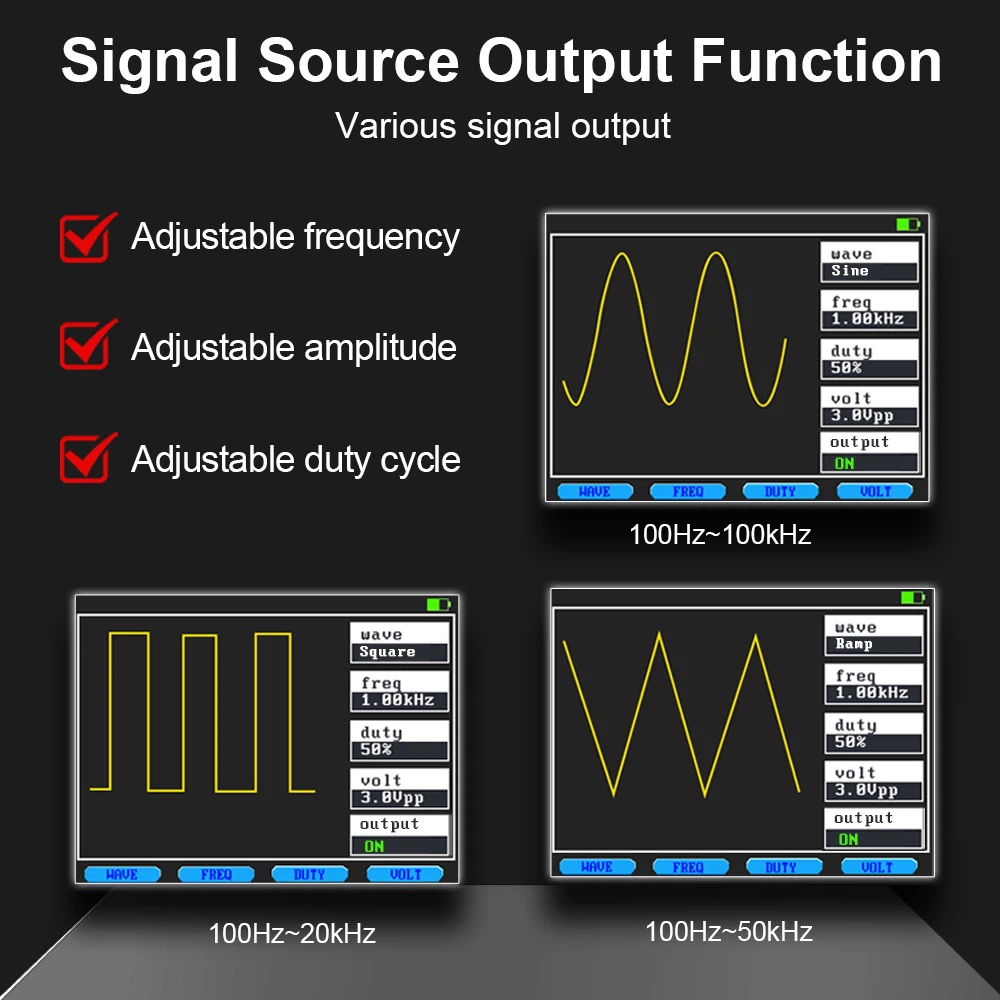
Oscilloscope waveform area horizontal grid represents time, as shown in the figure, the current horizontal direction of each grid is 200us, the square wave period of 5 cells, that is, 1ms, the square wave frequency of 1KHz.
The vertical direction grid of oscilloscope waveform area represents voltage, the current vertical direction is 500mV per cell, the square wave amplitude is 4 cells, i.e. 2V.
3. From the "automatic" talk, how the oscilloscope is set?
When we want to test a signal, the easiest way to test is to click "Auto" on the oscilloscope, the name of this button varies from oscilloscope to oscilloscope, for example, "AutoSet", "Auto", "Auto", "AutoSet", "AutoSet", "AutoSet", "AutoSet", "AutoSet", "AutoSet", "AutoSet", and so on. Auto", "AutoSet" and so on.
Note: Be sure to connect the probe to the signal before pressing the "Auto" button.
After pressing the "Auto" button, the oscilloscope will automatically adjust itself according to the parameters of the signal, so that the signal waveform will be displayed on the screen with appropriate amplitude and stable time base.
4. Oscilloscope Settings - Vertical Amplitude, Horizontal Time
Vertical Amplitude:
The signal must be displayed on the screen with appropriate amplitude (i.e. vertical magnitude). If the vertical magnitude is too small, the signal waveform will exceed the screen and cannot be displayed completely; if the vertical magnitude is too large, not only can you not see the details of the signal clearly, it also looks uncomfortable;
Horizontal Time:
The signal must be displayed on the screen in a suitable time base (i.e. the length of time in the horizontal direction). If the time base is too small, the signal waveform is stretched too far apart, and the full cycle cannot be seen. If the time base is too large, the signal waveform is compressed together and cannot be seen in detail.
5. Oscilloscopes three key indicators - bandwidth
Bandwidth is the basic indicator of the oscilloscope, and the bandwidth of the amplifier is the same as the so-called -3dB point, that is:
At the input of the oscilloscope with a sine wave, the amplitude attenuation for the actual amplitude of 70.7% of the frequency point is called the bandwidth.
That is to say, with a 100MHz bandwidth oscilloscope to measure the amplitude of 1V frequency of 100MHz sine wave, the actual amplitude will not be less than 0.707V.
Understanding this meaning, we can also get the relationship between rise time and bandwidth, that is: rise time = 0.35 / bandwidth.