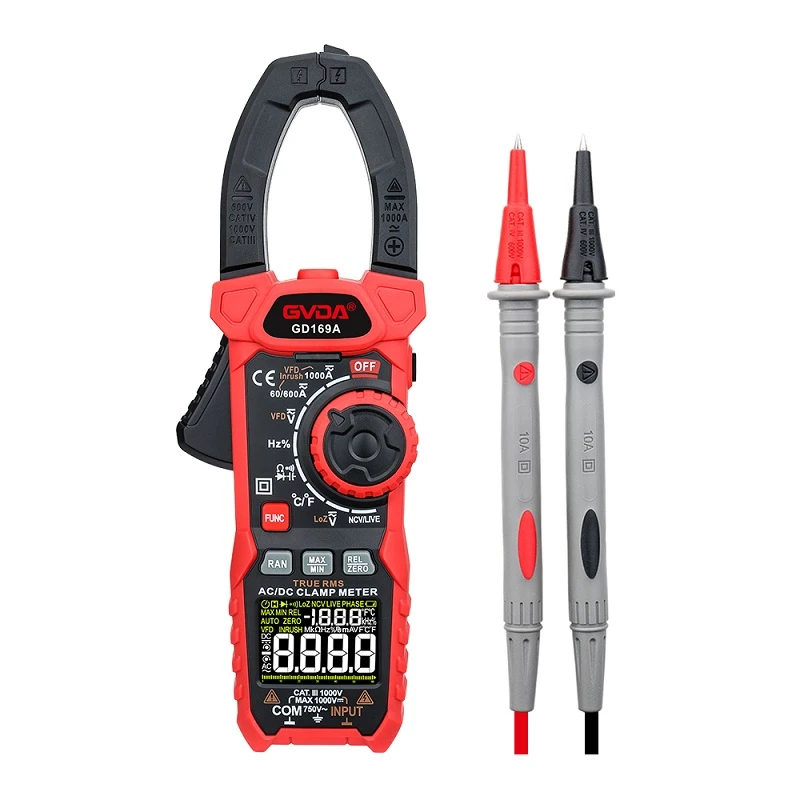
Common digital clamp meter measurement operation steps
Clamp meter for measuring AC voltage operation
1. Insert the red probe into the "V Ω Hz" socket and the black probe into the "COM" socket.
2. Place the functional range switch in the AC voltage range and connect the probe to the tested power source or load.
3. Read the measurement results from the monitor.
Attention: When measuring high voltage, avoid electric shock and allow a maximum input of AC700V effective voltage.
Clamp meter for measuring DC voltage operation
1. Insert the red probe into the "V Ω Hz" socket and the black probe into the "COM" socket.
2. Place the functional range switch in the DC voltage range and connect the probe to the tested power supply or load. The polarity of the red probe connected to the terminal will also be displayed on the monitor.
3. Read the measurement results from the monitor.
Attention: When measuring high voltage, avoid electric shock and allow a maximum input voltage of DC1000V.
Clamp meter for measuring AC current operation
1. Place the functional range switch in the AC current mode.
2. Press the ZERO key to display the reading as zero.
3. Press the trigger, open the clamp head, and clamp the wire inside the clamp to measure the current value of the wire. It is not possible to measure when two or more wires are clamped at the same time.
4. Read the measurement results from the monitor.
Attention: When measuring small currents, step 2 is essential to ensure more accurate readings. If measuring large currents, step 2 can be omitted.
Clamp meter for measuring DC current operation
1. Set the functional range switch to the DC current mode.
2. Press the ZERO key to display the reading as zero.
3. Press the trigger, open the clamp head, and clamp the wire inside the clamp to measure the current value of the wire. It is not possible to measure when two or more wires are clamped at the same time.
4. Read the measurement results from the monitor.
5. If the display shows negative polarity, it means that the direction of the current is opposite to the actual direction.
Attention: After using for a period of time, there will be some residual magnetic force left in the iron core part of the clamp. At this point, it is necessary to repeatedly open and close the jaws, and then press the relative value key to make the instrument display a zero reading.