How to judge whether an oscilloscope is good or bad?
After booting into the test interface, the internal program has a "self test" function. When the "self test" is completed, a "SELF-TEST PASSED" prompt (SELF-TEST PASSED) will be displayed on the screen.
The internal program "self-test" function can only check some very internal states, mainly memory, etc. Other functions must be checked manually.
1. The oscilloscope will come with a test signal. Connect the probe to the test signal output of the oscilloscope. It is usually a square wave signal of 1~5V/1KHZ.
2. Press the automatic setting button (AUTOSET), or you can trigger it manually.
A very stable, regular square wave signal should be displayed on the screen, as shown below
This method checks whether the main functions of the oscilloscope are normal, such as triggering, synchronization, etc., and also checks whether the compensation of the probe is appropriate, otherwise fine-tuning is required.
3. Oscilloscope bandwidth
Bandwidth: Input a sinusoidal signal to the oscilloscope. The frequency point when it attenuates to 70.7% of the actual amplitude is the bandwidth of the oscilloscope, which is the frequency value of -3dB.
For example: The bandwidth of DPO4104 is 1GHZ. When giving it a sinusoidal signal with an amplitude of 30mv, if the measured amplitude is above 21.21mv (30 *70.7%=21.21), it means that its bandwidth can reach 1GHZ. If it is lower than 21.21mv, it means that the bandwidth of this oscilloscope cannot meet the actual requirements, that is, the indicator is unqualified.
4. Whether the impedance of each channel of the oscilloscope is qualified
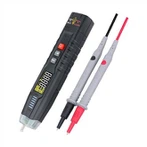
The measurement of impedance is relatively simple. The most convenient way is to use a handheld multimeter or a 5.5-digit or 6.5-digit digital multimeter. The actual measured value is qualified as long as it is within the error range.