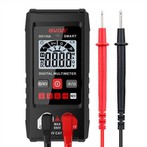
Structure of the Current‑Measuring Section of Clamp Multimeter
① Before using a digital multimeter, carefully read the user manual to get familiar with the power‑on switch, range selector switch, input jacks, function keys, knobs and accessories.
In addition, understand the limit parameters of the multimeter. Be familiar with overload indication, polarity indication, low‑battery indication and other symbol prompts and alarms, as well as the variation rule of decimal‑point positions.
Before measurement, carefully check the test leads for cracks and insulation damage, and confirm correct insertion of test probes to guarantee operator safety.
② Before each measurement, double‑check whether the measurement function and range selector are set correctly, and whether the input jacks (or special‑purpose jacks) are properly selected.
③ Read the measurement value only after the reading stabilizes, as digital readings may fluctuate at the beginning of measurement.
④ Although digital multimeters are equipped with relatively complete internal protection circuits, avoid mis‑operations, such as measuring voltage with current range, measuring voltage or current with resistance range, or testing live capacitors with capacitance range, which may damage the instrument.
⑤ If only digit "1" is shown on the most‑significant digit while all other digits disappear, the instrument indicates an overload. Select a higher measurement range.
⑥ Do not toggle the range selector while measuring voltage above 100 V or current above 0.5 A. Electric arcs may occur and burn the contacts of the selector switch.
⑦ Numbers marked with hazard symbols beside input jacks represent the maximum allowable voltage or current for that jack. Exceeding these limits may damage the meter and endanger operator safety.
⑧ Do not use a clamp‑on multimeter to measure current on high‑voltage circuits. The voltage of the measured circuit shall not exceed the rated voltage class of the clamp meter (generally no more than 500 V), to prevent insulation breakdown and electric shock.
⑨ Estimate the magnitude of the measured current and select an appropriate range. Never measure large current with a low‑current range.
⑩ Before measurement, turn the range selector to the corresponding AC‑current position. Do not use voltage or resistance ranges for current measurement. Never use resistance or current ranges for voltage measurement; careless misuse will burn out the meter.
⑪ Only one single conductor shall be clamped for each measurement. Place the conductor at the center of the clamp jaws for better accuracy. Hold the meter steady by hand and avoid letting the conductor touch the clamp jaws or meter body.
⑫ After completing measurement, rotate the range selector to the maximum‑voltage range, and then turn off the power switch for safe next‑time use.