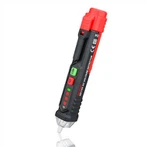
There are three bad ways to use moisture measuring equipment.
1. Do not leave the meter in the active kiln
Kiln drying is an important part of the woodworking process. By drying wood in a kiln, woodworkers can ensure that excess moisture won't cause unsightly warping or other defects in the final product.
A moisture meter is a very useful tool for ensuring that kiln-dried lumber is actually dry. However, it is important to be careful not to leave the hygrometer in the hot kiln. Extreme temperatures can cause damage to sensitive electronic equipment, and hygrometers are no exception. Even if there are no outward signs of damage or charring, the circuitry inside the meter can be damaged.
It's important to note that short-term exposures, such as what happens when you walk into a kiln for a quick read, usually shouldn't be a problem with a well-made hygrometer. The real problem occurs when the gauge is left in a hot kiln.
2. Do not immerse the meter in water
Although hygrometers are designed to detect moisture, they are not meant to be actually submerged in water. When water gets inside a device, whether it's a needle type, pinless type, or a thermo-hygrometer, it can damage the circuit boards inside the device, causing the circuit boards to short out like any other electronic device.
This might sound like an obvious suggestion, but you might be surprised how much moisture damage is the cause of a hygrometer failure.
For pinless and pin gauges, too much moisture on the readout element (contact pin of pin pin, scan plate without pin) can cause corrosion if left alone for too long. Solve this problem by cleaning the readout element after use. Doing so will extend the life of the meter and maintain its accuracy.
3. Don’t take your meter apart
Many manufacturers recommend that you never take electronic equipment apart to try to fix the problem yourself. There's actually a good reason to follow this advice: You can do more damage to the inside of your device just by trying to open it.
Most hygrometers are designed to be sealed. Opening the device in a non-sterile environment exposes the PC board to contaminants that can cause it to degrade. We recommend that you avoid attempting to move or modify parts inside the device.
Instead, try calling the manufacturer's hygrometer support line or checking their website for FAQs to see if there is a solution to the problem you're having that doesn't involve opening the case. If not, send the device in for repair. The manufacturer should be able to fix the problem, and if not, they can replace it. Of course, this assumes the hygrometer is still under warranty (and most warranties are voided by opening the device's case).