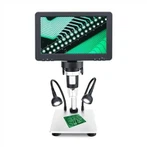
What principles should be followed for repairing faults in optical digital microscopes
The development of optical digital microscopes is due to the continuous advancement of technology. Traditional microscopy methods can no longer meet the needs of users. Therefore, by combining traditional microscopy methods with modern computer image processing technology, a microscopic image analysis system has been developed. Its basic workflow is to capture images of particles under a microscope using a digital camera and transmit them to a computer. The images are processed and analyzed using professional particle image analysis software, and the analysis results are displayed and output on a display and printer. Optical digital microscopy has the characteristics of being intuitive, accurate, and having a wide testing range. It can not only directly observe the morphology of particles, but also calculate the particle size and circularity of each particle, as well as the particle size distribution and circularity distribution. This adds a new method for particle size testing in scientific research and production fields.
matters needing attention
1. Do not disassemble
Random disassembly can easily cause electric shock and damage to the instrument. Please do not disassemble any components other than those mentioned in this manual that can be disassembled. If a malfunction is found in the optical digital microscope, please find experienced professional repair personnel for repair, or directly contact the manufacturer.
2. Check voltage
1) The base of the optical digital microscope is marked with the rated input voltage value, please note that the local power supply voltage must match it. Otherwise, please find an experienced professional repairman to disassemble the base. There is a switch labeled 110V and 220V on the power circuit board. Press this switch to match the local power supply voltage value, and then install the base.
2) The power socket should have a grounding wire.
3. Anti scalding and fire prevention
1) The replacement of light bulbs should be carried out after the bulbs have cooled sufficiently.
2) Do not place flammable substances near the light bulb to prevent ignition.
4. Replace the light bulb
1) Before replacing the light bulb, it is necessary to unplug the power plug to avoid damaging the optical digital microscope and causing electric shock.
2) Only specified specifications of halogen bulbs and fluorescent tubes can be used.