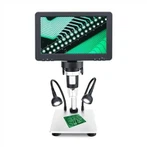
The operation steps of the digital part of the digital microscope:
1. Install Motic Lmages Plus 2.0 ML into the computer, and the digital microscope can be used normally.
2. Pull out the lever on the head of the digital microscope to the last position of Z. At this time, the microscope is in a state where both visual observation and CCD camera can be performed.
3. Double-click the Moticimages 2000 icon on the computer desktop, click the "Device" button in the Motic digital microscope interface, and select the CCD drive type from the drop-down menu. After confirming the drive type, it will automatically enter the preview state. At this time, the indicator light on the CCD cover is on, indicating that the microscope has entered the digital working state. An image of the observed section will be displayed in the viewing window, which corresponds to that seen from the microscope eyepiece.
4. For the adjustment of the observed image, see the operation steps of the optical part.